mirror of
https://github.com/Nezumi-2711/Foodify-Shipper.git
synced 2026-09-22 20:00:51 +00:00

6.0 KiB
6.0 KiB
CustomViewDialog Documentation
Examples
Add button example
Button button1 = new Button(this);
button1.setText("Button");

CustomViewDialog customViewDialog = new CustomViewDialog();
customViewDialog.Builder(this)
	.setTitle("Title")
       	.addCustomView(button1)
        .show();
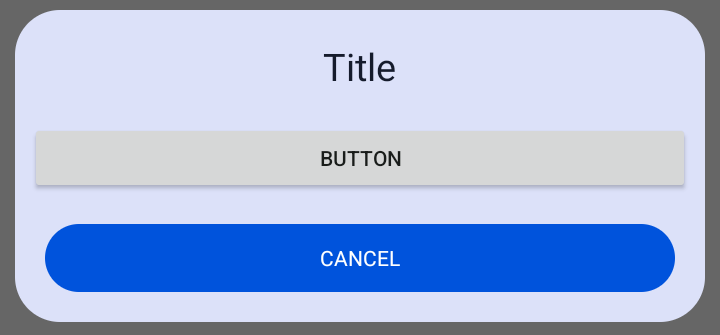
Add EditText example
EditText editText = new EditText(this);
editText.setHint("add text");

CustomViewDialog customViewDialog = new CustomViewDialog();
customViewDialog.Builder(this)
	.setTitle("Title")
	.dialogWithTwoButtons()
       	.addCustomView(editText)
       	.onButtonClick(() -> {
        	String text = editText.getText().toString();
                // Do something
      	})
       	.show();
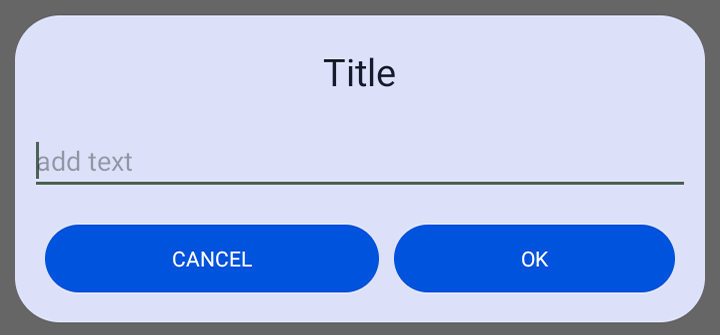
Add custom xml layout example
View view = LayoutInflater.from(this).inflate(R.layout.custon_layout,null);

CustomViewDialog customViewDialog = new CustomViewDialog();
customViewDialog.Builder(this)
	.setTitle("Title")
	.dialogWithTwoButtons()
       	.addCustomView(view)
        .show();
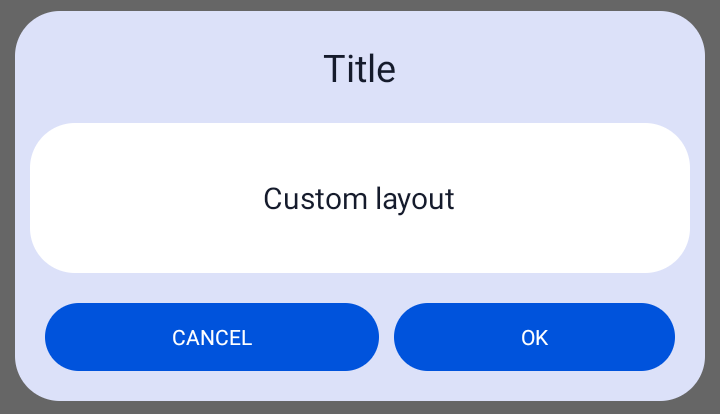
Builder
Apply the default theme to a dialog
customViewDialog.Builder(context)
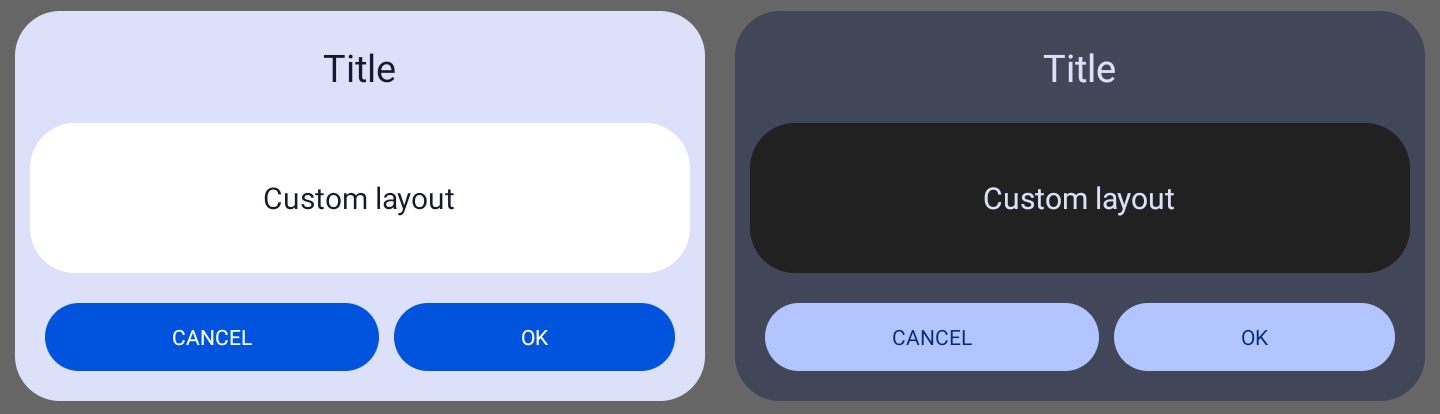 Apply the app theme to a dialog (only works with material3 theme)
customViewDialog.Builder(context,true)
Apply the custom theme to a dialog (only works with material3 theme)
customViewDialog.Builder(context,theme)
Dialog with two buttons
customViewDialog.dialogWithTwoButtons();
Old Dialog theme
By default dialog colors will be set to material3 dynamic colors. With this method you can set the dialog color for the background and buttons to the older non-dynamic colors
customViewDialog.setOldTheme();
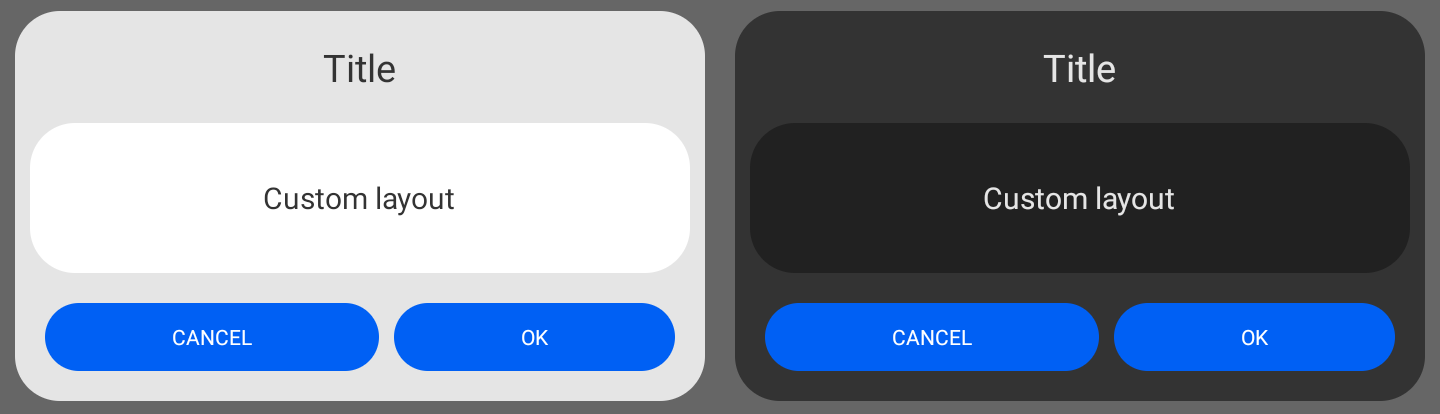
Add View
customViewDialog.addCustomView(view);
Add onClick Listener
onClickListener for the right button if the dialog has two buttons, the left button is for dismissing dialog. If the dialog has only one button, onClickListener will be set to that button.
customViewDialog.onButtonClick(new DialogButtonEvent() {
	@Override
      	public void onButtonClick() {
      		// Do something
      	}
});

//or

customViewDialog.onButtonClick(() -> {
	// Do something
});
onClickListener for left and right button (only works when dialog has two buttons)
customViewDialog.onButtonClick(new DialogButtonEvents() {
	@Override
       	public void onLeftButtonClick() {
       		// Do something
       	}

     	@Override
      	public void onRightButtonClick() {
       		// Do something
      	}
});
All CustomViewDialog Methods
//Create dialog
customViewDialog.Builder(context);

//Create dialog width two buttons
customViewDialog.dialogWithTwoButtons();

//Usin the old dialog theme
customViewDialog.setOldTheme();

//Set title
customViewDialog.setTitle("Title");
//Set message
customViewDialog.setMessage("Message");

//Set title text alignment
customViewDialog.setTitleAlignment(TextAlignment);
//Set message text alignment
customViewDialog.setMessageAlignment(TextAlignment);

//Set text color
customViewDialog.setTextColor(color);
//Set title text color
customViewDialog.setTitleTextColor(color);
//Set message text color
customViewDialog.setMessageTextColor(color);

//Set button text (one button dialog)
customViewDialog.setButtonText("Text");
//Set left button text
customViewDialog.setLeftButtonText("Text");
//Set right button text
customViewDialog.setRightButtonText("Text");

//Set buttons color
customViewDialog.setButtonsColor(color);
//Set button color (one button dialog)
customViewDialog.setButtonColor(color);
//Set left button color
customViewDialog.setLeftButtonColor(color);
//Set right button color
customViewDialog.setRightButtonColor(color);

//Set buttons text color
customViewDialog.setButtonsTextColor(color);
//Set text color a button (one button dialog)
customViewDialog.setButtonTextColor(color);
//Set text color for left button
customViewDialog.setLeftButtonTextColor(color);
//Set text color for right button
customViewDialog.setRightButtonTextColor(color);

//Set buttons background resource
customViewDialog.setButtonsBackgroundResource(drawable);
//Set button background resource (one button dialog)
customViewDialog.setButtonBackgroundResource(drawable);
//Set left button background resource
customViewDialog.setLeftButtonBackgroundResource(drawable);
//Set right button background resource
customViewDialog.setRightButtonBackgroundResource(drawable);

//Set dialog color
customViewDialog.setDialogBackgroundColor(color);
//Set dialog background resource
customViewDialog.setDialogBackgroundResource(drawable);

//Add Custom view
customViewDialog.addCustomView(view);

//Set maximum dialog width. Default is 600dp
customViewDialog.setMaxDialogWidth(width);

//Get maximum dialog width
int dialogWidth = customViewDialog.getMaxDialogWidth();

//Get left button
Button leftButton = customViewDialog.getLeftButton();
//Get right button
Button rightButton = customViewDialog.getRightButton();

//Set dialog animations
customViewDialog.setDialogAnimations(styleRes);

//Enable or disable swipe down to dismiss dialog.
//By default is set to true
dialog.swipeToDismiss(boolean);

//Set dialog onTouchListener.
//This method will overide swipe down to dismiss action
dialog.setOnTouchListener(onTouchListener);

//Shew dialog
customViewDialog.show();
//Dismiss dialog
customViewDialog.dismiss();