
Hello. Again.
# 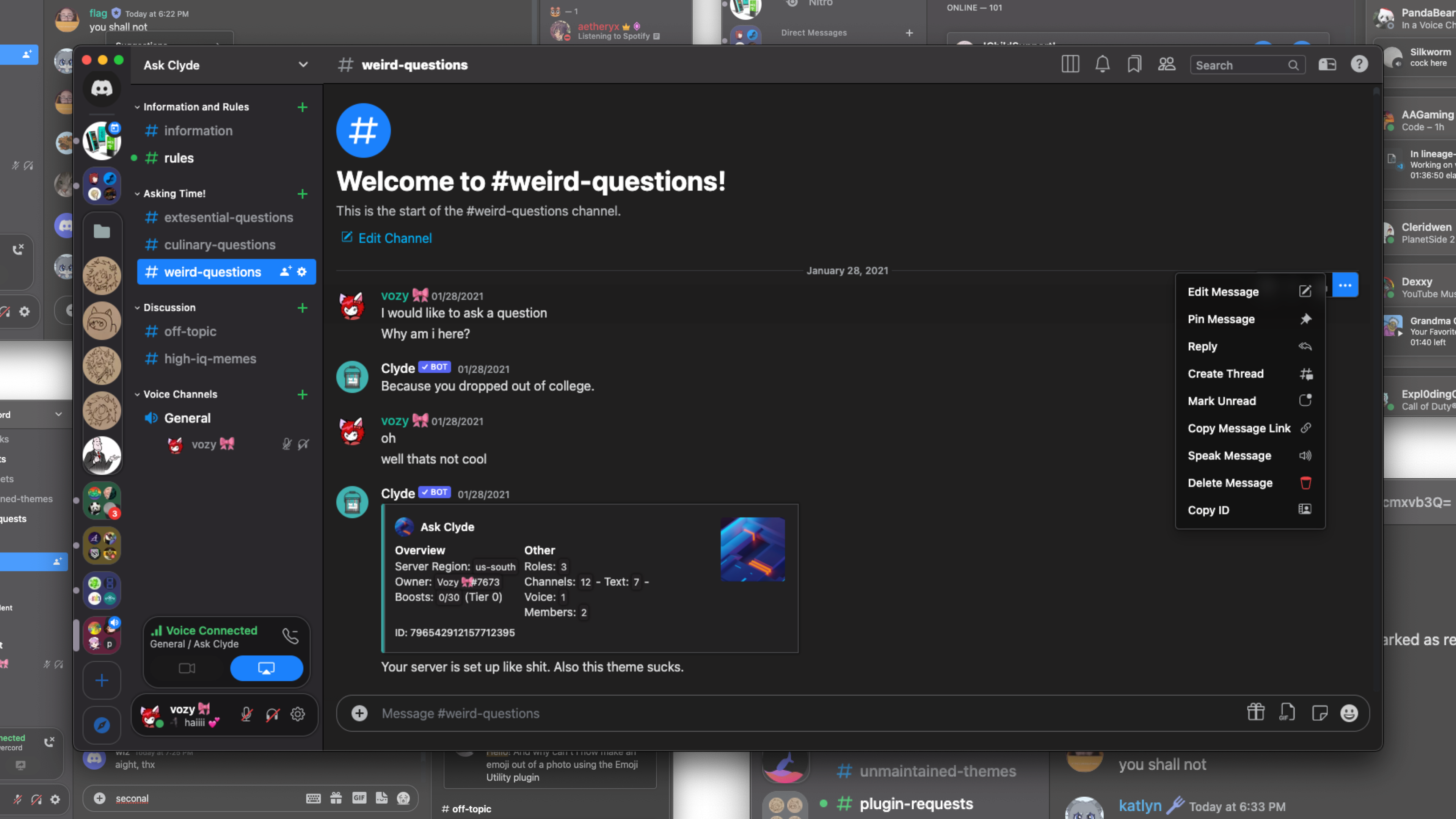 ## How to use 📖 #### Learn how to use [BeautifulDiscord](https://github.com/leovoel/BeautifulDiscord), [Powercord](https://github.com/powercord-org/powercord), [Goosemod](https://goosemod.com/), or [BetterDiscord](https://github.com/rauenzi/BetterDiscordApp). Browser users should look into [Stylus](https://github.com/openstyles/stylus). * BetterDiscord/BeautifulDiscord users can download [surCord.theme.css](https://raw.githubusercontent.com/SlippingGitty/surCord/main/surCord.theme.css) and either * Inject the CSS file with BeautifulDiscord * Place in the BetterDiscord themes folder * Powercord users: * Open a terminal in the themes folder and type `git clone https://github.com/SlippingGitty/surCord/` * Goosemod users * Coming Soon! * Stylus * Head [here](https://github.com/SlippingGitty/surCord/raw/main/surCord.user.css) to install. ### Extra info ℹ️ * You can very easily [change the accent and theme color](https://cdn.discordapp.com/attachments/816373850647953439/984177819204603924/unknown.png) for surCord by navigating to `/src/_themeing.scss` and [uncommenting >>>one<<<](https://github.com/SlippingGitty/surCord/blob/main/src/_accents.scss) of the accent colors and one of the background colors. * You can set surCord to use Apple's Emoji font by navigating to `/src/_modulals.scss` and uncommenting `@import url(https://mwittrien.github.io/BetterDiscordAddons/Themes/EmojiReplace/base/Apple.css);` * You can follow [this guide](https://github.com/SlippingGitty/surCord/issues/9) to set surCord's font to **San Fransisco Display Bold**. ## Devs, Contributors, and other Creditors: | |  |
|  |
|  |:-:|:-:|:-:|:-:|
| Vozer | Discord Extensions ORG | Bootstrap | BlueRedBlueYellow |
|
|:-:|:-:|:-:|:-:|
| Vozer | Discord Extensions ORG | Bootstrap | BlueRedBlueYellow |
|  |
|  |
|  |
|  |
|  |:-:|:-:|:-:|:-:|:-:|
| Loremly | Lucism | LeafyLuigi | LuckFire | Czarhex |
___
Support Server 💬: https://discord.gg/xWYMgbD28p
|:-:|:-:|:-:|:-:|:-:|
| Loremly | Lucism | LeafyLuigi | LuckFire | Czarhex |
___
Support Server 💬: https://discord.gg/xWYMgbD28p