mirror of
https://github.com/Nezumi-2711/Foodify.git
synced 2026-09-22 20:00:50 +00:00

201 lines
6.0 KiB
Markdown
201 lines
6.0 KiB
Markdown
# CustomViewDialog Documentation
|
|
## Examples
|
|
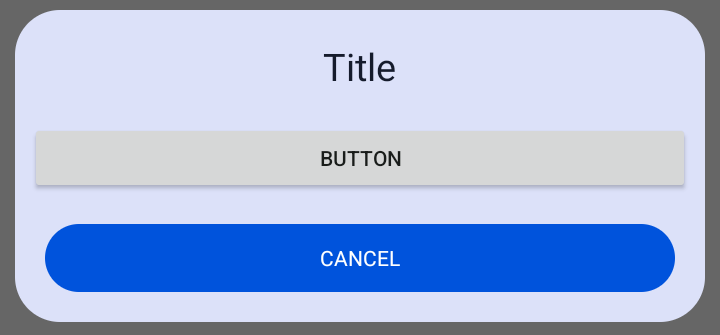
#### Add button example
|
|
```java
|
|
Button button1 = new Button(this);
|
|
button1.setText("Button");
|
|
|
|
CustomViewDialog customViewDialog = new CustomViewDialog();
|
|
customViewDialog.Builder(this)
|
|
.setTitle("Title")
|
|
.addCustomView(button1)
|
|
.show();
|
|
```
|
|
|
|
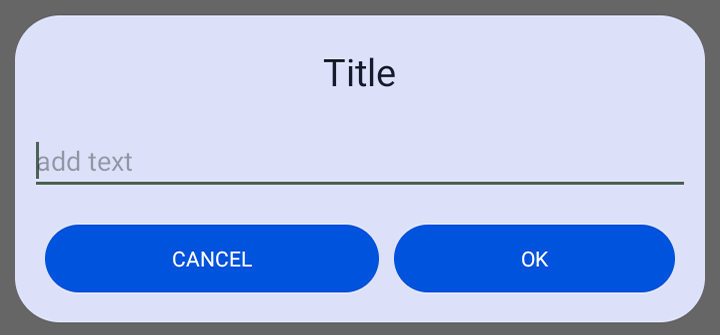
#### Add EditText example
|
|
```java
|
|
EditText editText = new EditText(this);
|
|
editText.setHint("add text");
|
|
|
|
CustomViewDialog customViewDialog = new CustomViewDialog();
|
|
customViewDialog.Builder(this)
|
|
.setTitle("Title")
|
|
.dialogWithTwoButtons()
|
|
.addCustomView(editText)
|
|
.onButtonClick(() -> {
|
|
String text = editText.getText().toString();
|
|
// Do something
|
|
})
|
|
.show();
|
|
```
|
|
|
|
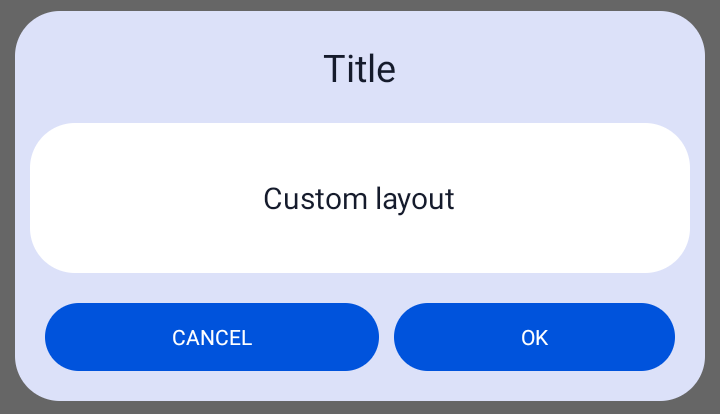
#### Add custom xml layout example
|
|
```java
|
|
View view = LayoutInflater.from(this).inflate(R.layout.custon_layout,null);
|
|
|
|
CustomViewDialog customViewDialog = new CustomViewDialog();
|
|
customViewDialog.Builder(this)
|
|
.setTitle("Title")
|
|
.dialogWithTwoButtons()
|
|
.addCustomView(view)
|
|
.show();
|
|
|
|
```
|
|
|
|
## Builder
|
|
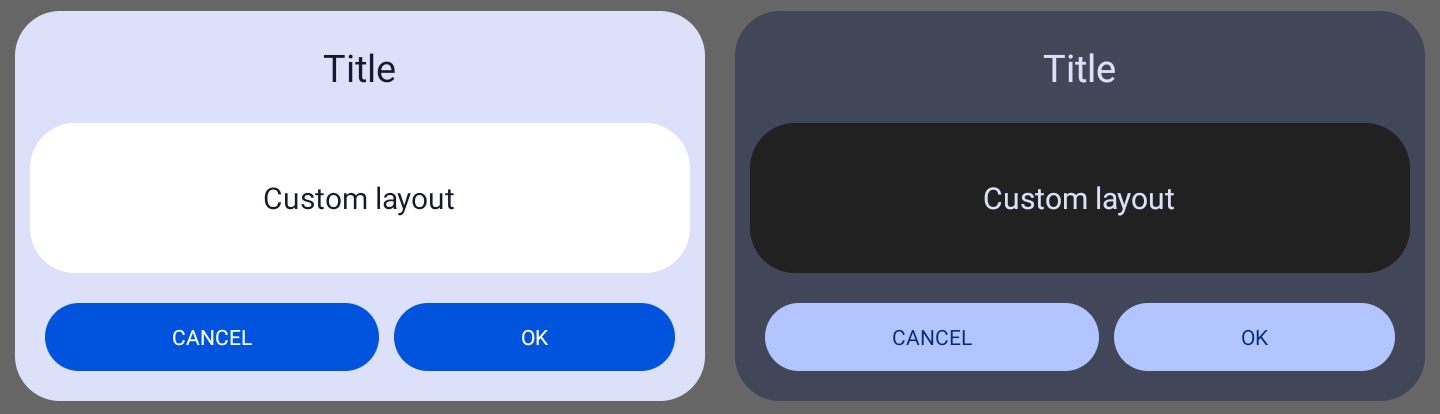
Apply the default theme to a dialog
|
|
```java
|
|
customViewDialog.Builder(context)
|
|
```
|
|
|
|
Apply the app theme to a dialog **(only works with material3 theme)**
|
|
```java
|
|
customViewDialog.Builder(context,true)
|
|
```
|
|
Apply the custom theme to a dialog **(only works with material3 theme)**
|
|
```java
|
|
customViewDialog.Builder(context,theme)
|
|
```
|
|
## Dialog with two buttons
|
|
```java
|
|
customViewDialog.dialogWithTwoButtons();
|
|
```
|
|
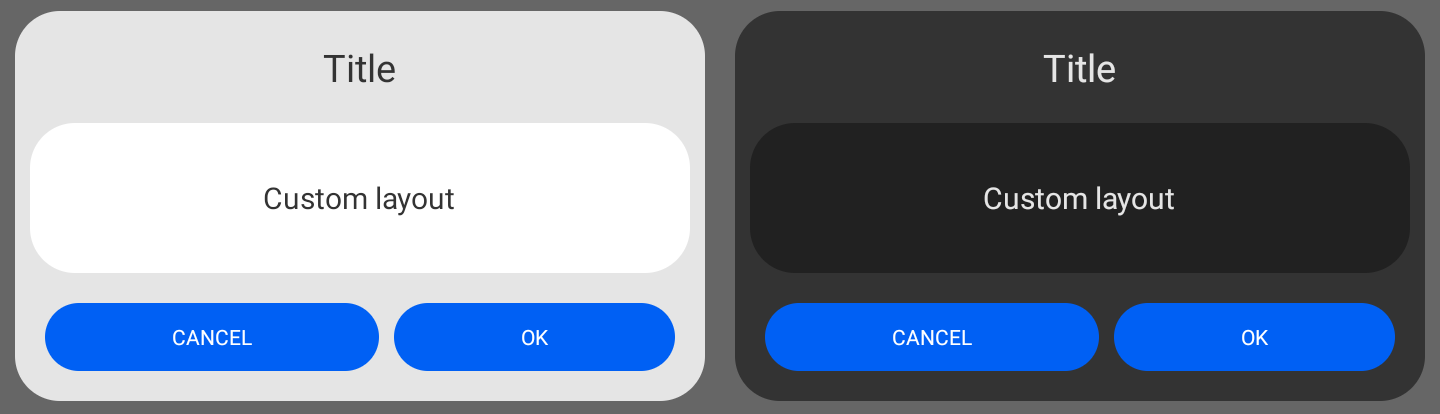
## Old Dialog theme
|
|
By default dialog colors will be set to material3 dynamic colors. With this method you can set the dialog color for the background and buttons to the older non-dynamic colors
|
|
```java
|
|
customViewDialog.setOldTheme();
|
|
```
|
|
|
|
## Add View
|
|
```java
|
|
customViewDialog.addCustomView(view);
|
|
```
|
|
|
|
## Add onClick Listener
|
|
onClickListener for the right button if the dialog has [two buttons](#dialog-with-two-buttons), the left button is for dismissing dialog. If the dialog has only one button, onClickListener will be set to that button.
|
|
```java
|
|
customViewDialog.onButtonClick(new DialogButtonEvent() {
|
|
@Override
|
|
public void onButtonClick() {
|
|
// Do something
|
|
}
|
|
});
|
|
|
|
//or
|
|
|
|
customViewDialog.onButtonClick(() -> {
|
|
// Do something
|
|
});
|
|
```
|
|
onClickListener for left and right button (only works when dialog has [two buttons](#dialog-with-two-buttons))
|
|
```java
|
|
customViewDialog.onButtonClick(new DialogButtonEvents() {
|
|
@Override
|
|
public void onLeftButtonClick() {
|
|
// Do something
|
|
}
|
|
|
|
@Override
|
|
public void onRightButtonClick() {
|
|
// Do something
|
|
}
|
|
});
|
|
```
|
|
## All CustomViewDialog Methods
|
|
```java
|
|
//Create dialog
|
|
customViewDialog.Builder(context);
|
|
|
|
//Create dialog width two buttons
|
|
customViewDialog.dialogWithTwoButtons();
|
|
|
|
//Usin the old dialog theme
|
|
customViewDialog.setOldTheme();
|
|
|
|
//Set title
|
|
customViewDialog.setTitle("Title");
|
|
//Set message
|
|
customViewDialog.setMessage("Message");
|
|
|
|
//Set title text alignment
|
|
customViewDialog.setTitleAlignment(TextAlignment);
|
|
//Set message text alignment
|
|
customViewDialog.setMessageAlignment(TextAlignment);
|
|
|
|
//Set text color
|
|
customViewDialog.setTextColor(color);
|
|
//Set title text color
|
|
customViewDialog.setTitleTextColor(color);
|
|
//Set message text color
|
|
customViewDialog.setMessageTextColor(color);
|
|
|
|
//Set button text (one button dialog)
|
|
customViewDialog.setButtonText("Text");
|
|
//Set left button text
|
|
customViewDialog.setLeftButtonText("Text");
|
|
//Set right button text
|
|
customViewDialog.setRightButtonText("Text");
|
|
|
|
//Set buttons color
|
|
customViewDialog.setButtonsColor(color);
|
|
//Set button color (one button dialog)
|
|
customViewDialog.setButtonColor(color);
|
|
//Set left button color
|
|
customViewDialog.setLeftButtonColor(color);
|
|
//Set right button color
|
|
customViewDialog.setRightButtonColor(color);
|
|
|
|
//Set buttons text color
|
|
customViewDialog.setButtonsTextColor(color);
|
|
//Set text color a button (one button dialog)
|
|
customViewDialog.setButtonTextColor(color);
|
|
//Set text color for left button
|
|
customViewDialog.setLeftButtonTextColor(color);
|
|
//Set text color for right button
|
|
customViewDialog.setRightButtonTextColor(color);
|
|
|
|
//Set buttons background resource
|
|
customViewDialog.setButtonsBackgroundResource(drawable);
|
|
//Set button background resource (one button dialog)
|
|
customViewDialog.setButtonBackgroundResource(drawable);
|
|
//Set left button background resource
|
|
customViewDialog.setLeftButtonBackgroundResource(drawable);
|
|
//Set right button background resource
|
|
customViewDialog.setRightButtonBackgroundResource(drawable);
|
|
|
|
//Set dialog color
|
|
customViewDialog.setDialogBackgroundColor(color);
|
|
//Set dialog background resource
|
|
customViewDialog.setDialogBackgroundResource(drawable);
|
|
|
|
//Add Custom view
|
|
customViewDialog.addCustomView(view);
|
|
|
|
//Set maximum dialog width. Default is 600dp
|
|
customViewDialog.setMaxDialogWidth(width);
|
|
|
|
//Get maximum dialog width
|
|
int dialogWidth = customViewDialog.getMaxDialogWidth();
|
|
|
|
//Get left button
|
|
Button leftButton = customViewDialog.getLeftButton();
|
|
//Get right button
|
|
Button rightButton = customViewDialog.getRightButton();
|
|
|
|
//Set dialog animations
|
|
customViewDialog.setDialogAnimations(styleRes);
|
|
|
|
//Enable or disable swipe down to dismiss dialog.
|
|
//By default is set to true
|
|
dialog.swipeToDismiss(boolean);
|
|
|
|
//Set dialog onTouchListener.
|
|
//This method will overide swipe down to dismiss action
|
|
dialog.setOnTouchListener(onTouchListener);
|
|
|
|
//Shew dialog
|
|
customViewDialog.show();
|
|
//Dismiss dialog
|
|
customViewDialog.dismiss();
|
|
```
|