mirror of
https://github.com/Nezumi-2711/surCord.git
synced 2026-09-22 20:02:07 +00:00
 Vozer
a12d706c40
Vozer
a12d706c40
CSS IS BORROWED FROM mwittrien AND IS LICENSED UNDER GPLv2.
PLEASE SEE THE LICENSE HERE -
https://github.com/mwittrien/BetterDiscordAddons/blob/master/LICENSE

CREDITS: Mirco Wittrien
VIEW THE ORIGINAL PROJECT HERE -
https://github.com/mwittrien/BetterDiscordAddons/blob/master/Themes/_res/SettingsIcons.css

EVERY SINGLE ICON USED IS BROUGHT TO YOU BY BOOTSTRAP'S ICONS -
PLEASE SEE THE LICENSE HERE -
https://github.com/twbs/icons/blob/main/LICENSE.md

GPLv2 REQUIRES THAT I MUST DISCLOSE THE SOURCE CODE -
https://github.com/SlippingGitty/surCord/blob/main/src/fixations/_settingsicons.scss
surCord
Hello. Again.
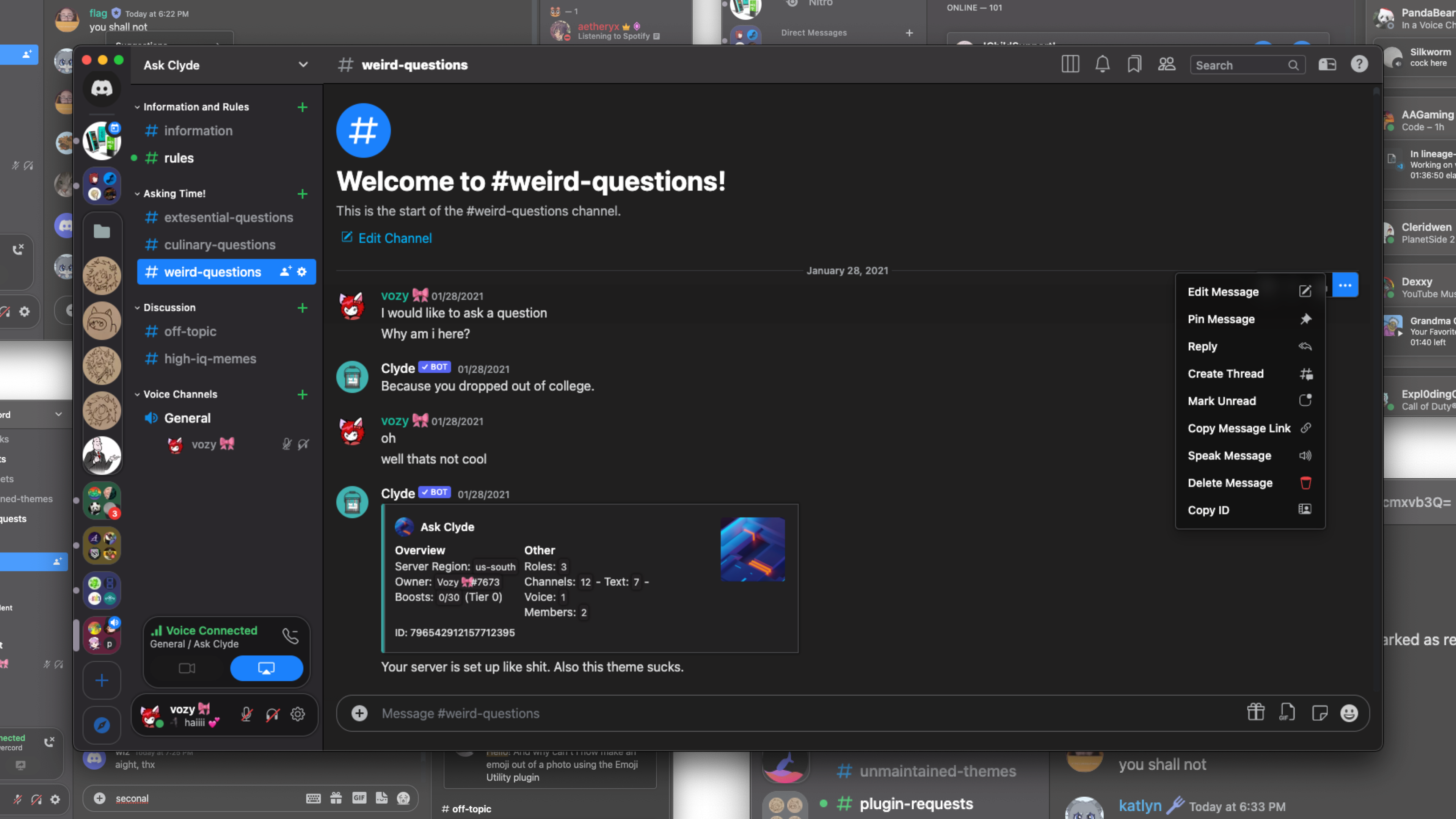
How to use 📖
Learn how to use BeautifulDiscord, Powercord, Goosemod, or BetterDiscord. Browser users should look into Stylus.
- BetterDiscord/BeautifulDiscord users can download surCord.theme.css and either
- Inject the CSS file with BeautifulDiscord
- Place in the BetterDiscord themes folder
- Powercord users:
- Open a terminal in the themes folder and type
git clone https://github.com/SlippingGitty/surCord/
- Open a terminal in the themes folder and type
- Goosemod users
- Coming Soon!
- Stylus
- Head here to install.
Extra info ℹ️
- You can very easily change the accent color for surCord by navigating to
/src/_accents.scssand uncommenting >>>one<<< of the colors.

Devs, Contributors, and other Creditors:
 |
 |
 |
 |
|---|---|---|---|
| Vozer | Discord Extensions ORG | Bootstrap | BlueRedBlueYellow |
 |
|---|
| Loremly |
Support Server 💬: https://discord.gg/xWYMgbD28p